


How Online Video Consultations Work and What to Expect

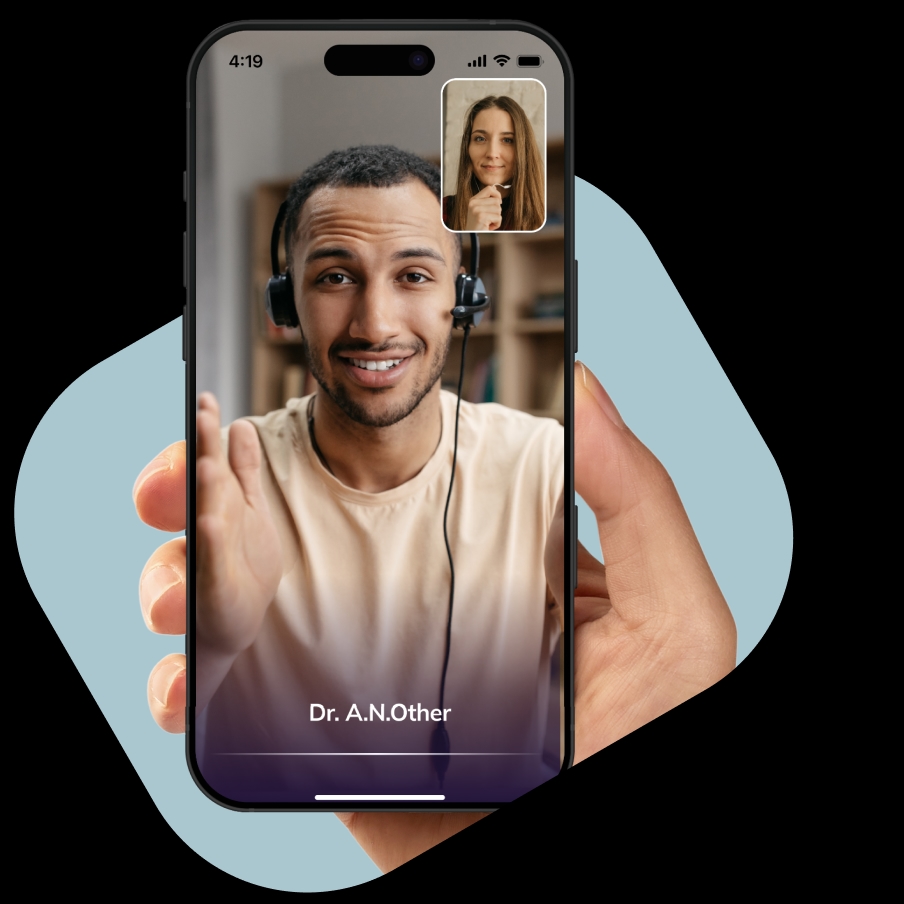
NowPatient delivers all clinical services through live remote video consultations, also known as synchronous consultations. Whether you are using an NHS service like Pharmacy First or Quit Smoking, or Buying Online Treatments, every consultation follows the same safe, structured process.
This guide explains how to book, prepare for, and attend your video consultation, what happens during and after, and how your data is protected.
HOW IT WORKS
Common Questions About This Service


Step 1 — Check you are eligible for a video consultation
Video consultations are suitable for most patients who do not need a physical examination. They may not be appropriate if you:
Require hands-on physical examination
Need laboratory tests that cannot be done remotely
Important: Video consultations are not a substitute for your regular doctor if you have a serious or life-threatening condition.
Step 2 — Complete your health profile
Before booking, ensure your health profile is up to date. Your clinician will use this information to provide safe, personalised care. You may need to provide:
Current medications and supplements
Known allergies and adverse reactions
Existing medical conditions
Previous surgeries or hospitalisations
Family medical history (where relevant)
Current symptoms or health concerns
Height and weight (for BMI calculation)
Blood pressure readings (where required)
Step 3 — Check your device is ready
Make sure:
NowPatient has permission to access your camera and microphone
You have a stable internet or Wi-Fi connection
You are using a compatible smartphone, tablet, or PC
Step 4 — Select your service
Log in to your NowPatient account and navigate to the relevant Service Card on your homepage. Follow the prompts for the service you need (e.g., NHS Pharmacy First, Weight Loss, Buying Treatments Online). Please remember, some services have eligibility requirements before you can book a consultation.
Step 5 — Choose a date
Select your preferred consultation date. You can add notes at this stage to help the clinician prepare for your session. Click Continue.
Step 6 — Choose a time
Select your preferred appointment time from the available slots and click Continue. Slots are available up to 7 days in advance.
Step 7 — Choose a clinician
Browse available clinicians trained for your chosen service. You can filter by:
Gender
Spoken languages
Each clinician’s full name, licence number, and specialist credentials are displayed. Select your preferred clinician and click Continue.
Step 8 — Review your booking
Check the summary of your appointment and read the Pre-consultation Requirements for tips on how to prepare. Click Continue.
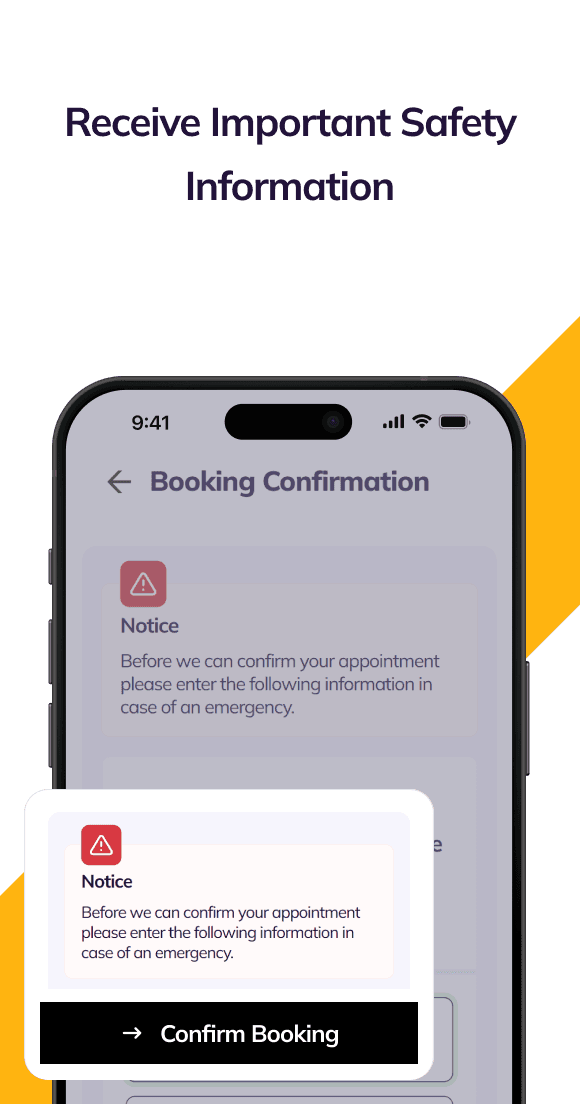
Step 9 — Provide safety information
Enter your:
Consultation address (where you will be during the call)
Emergency contact details
You can also opt in to receive an SMS reminder 30 minutes before your appointment.
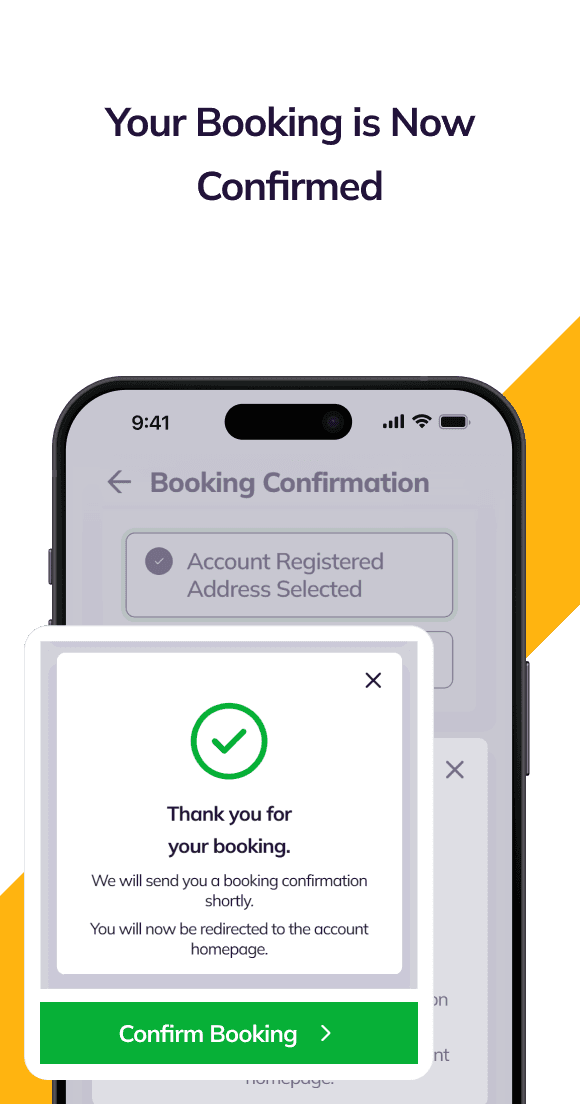
Step 10 — Confirm your booking
Click Confirm Booking. You will receive:
An in-app confirmation pop-up
Push and in-app notifications
A confirmation email with details of what to expect
Step 11 — Take your blood pressure via the app (if required)
Some services require a recent blood pressure reading before your consultation. If prompted during booking, use the NowPatient app’s built-in blood pressure tool:
Open the blood pressure tool when prompted.
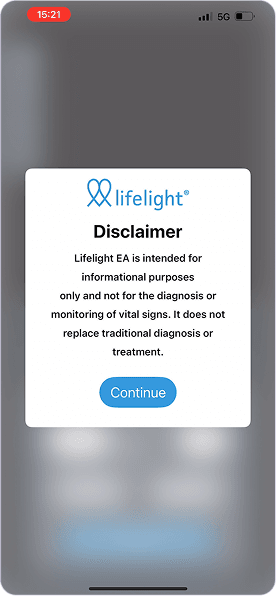
Read and agree to the disclaimer.
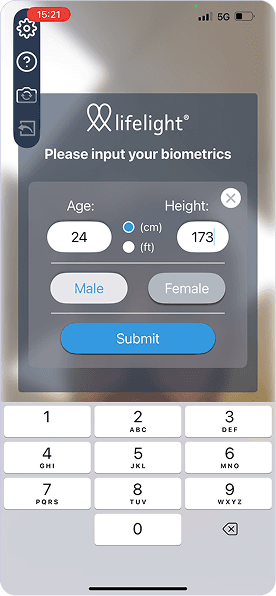
Enter your age, height, and gender.
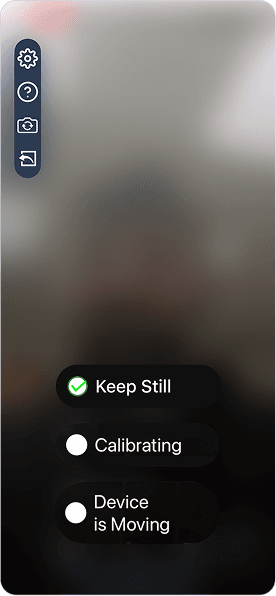
Follow the on-screen instructions — stay still when prompted.
Ensure you are in a well-lit room with a stable Wi-Fi connection.
The NowPatient blood pressure tool uses your smartphone’s front-facing camera — no cuff or wearable required. It is classified as a Class I Medical Device (CE and UKCA certified). Available on iOS and Android only.
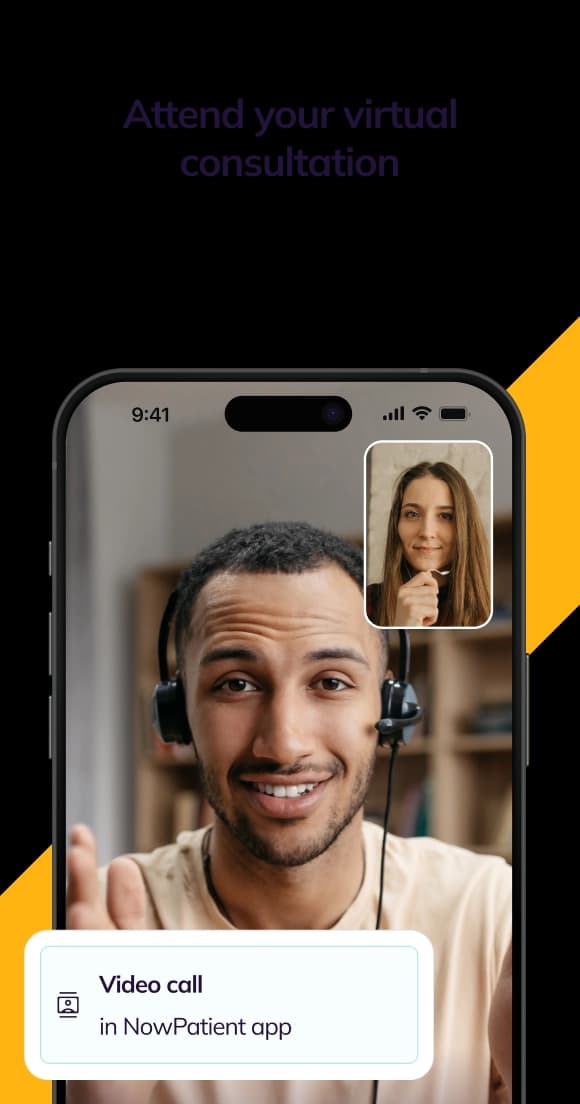
Step 12 — Join your video consultation
At your scheduled time, open the NowPatient app and join your consultation.
Step 13 — Identity verification
Your clinician will introduce themselves and verify your identity. Please have your ID ready.
Step 14 — Confirm your declarations
You will be reminded that you must:
Complete the consultation for yourself
Disclose all medical conditions, illnesses, and operations
Disclose all prescription medications you are currently taking
Provide accurate and honest responses throughout
Important: Withholding or providing false information can severely harm your health and may have life-threatening consequences.
Step 15 — Your clinical assessment
Your clinician will carry out an assessment relevant to your chosen service. Depending on the service, this may lead to:
Issuance of a prescription (this will be added to your cart)
Guided counselling
Discussion of test results
General health advice (e.g., healthy living or smoking cessation)
Step 16 — Consent to inform your doctor (recommended)
With your consent, your clinician may inform your regular doctor of the consultation outcome. NowPatient strongly recommends agreeing to this, as your GP is responsible for your overall care.
You can end the consultation at any time if you feel it is necessary.
Step 17 — Receive your post-consultation summary
You will receive a notification summarising:
The outcome of your appointment
Any referrals made to your doctor
Any advice given by your clinician
If a referral letter was issued, you can view it in the Documents section of your account.
Step 18 — Complete your order (if treatment was prescribed)
If your clinician prescribed a treatment, follow these steps:
Go to your Cart via the account navigation.
Complete any payment exemptions, such as NHS Exemption Declaration if applicable.
Select Checkout.
Choose your delivery address and delivery method.
Confirm your billing address.
Review your order and submit payment.
Your order will be sent to NowPatient’s licensed online pharmacy for processing and dispatch.
Step 19 — Complete the feedback survey
You may receive a short survey about your experience. NowPatient encourages all patients to complete it. Your feedback helps improve the service for everyone.
How do I cancel a video consultation, and what happens if I miss my appointment?
To cancel an appointment:
Go to the Consultations section of your account.
Select Upcoming Consultations.
Choose the appointment you wish to cancel.
Click Cancel and confirm.
Please cancel at least 24 hours in advance.
Missed appointments: After two missed appointments, your booking rights will be temporarily revoked. Contact the NowPatient support desk if you believe this was applied in error.
How do I contact NowPatient for help and support?
Contact Method | Details |
UK Phone | +44 20 388 51 500 |
US Phone | 1-866-967-1977 |
Hours (UK) | Monday–Friday, 9am–6pm GMT |
Hours (US) | Monday–Friday, 8am–5pm EST |
Support |
Smooth, simple, seamless
Your Guide to Using the Virtual Consultations App Feature
- Step 1.
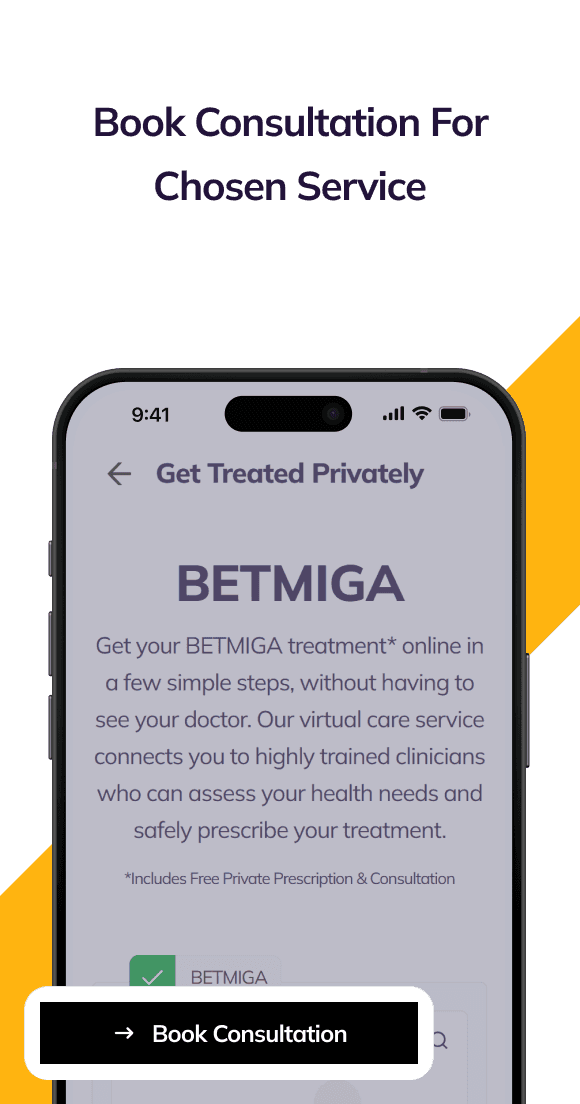
Book Consultation For Chosen Service
 1
1 - Step 2.
Select Consultation Date
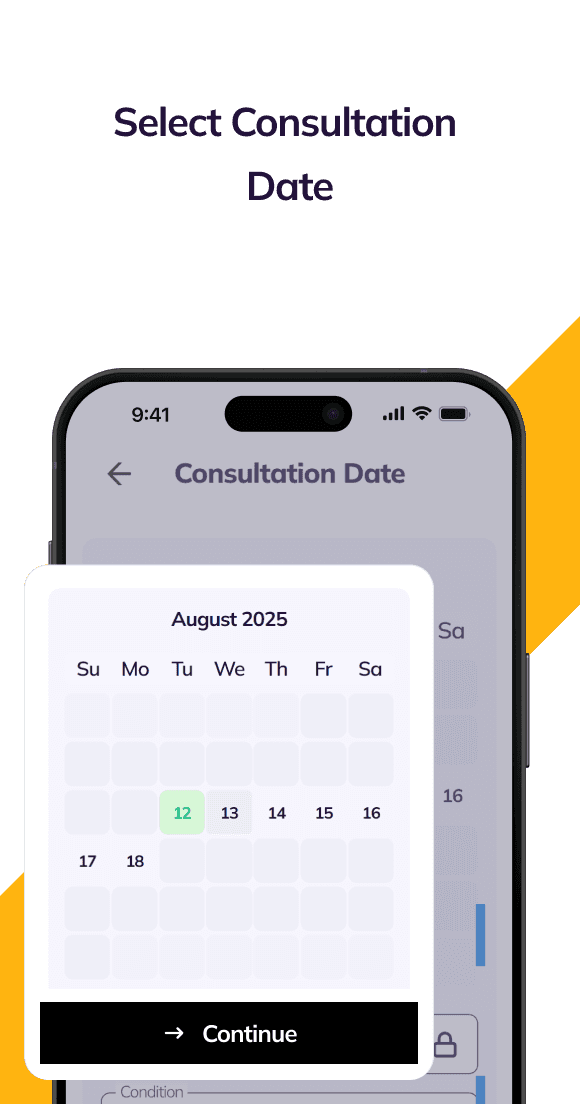 2
2 - Step 3.
Select Consultation Time
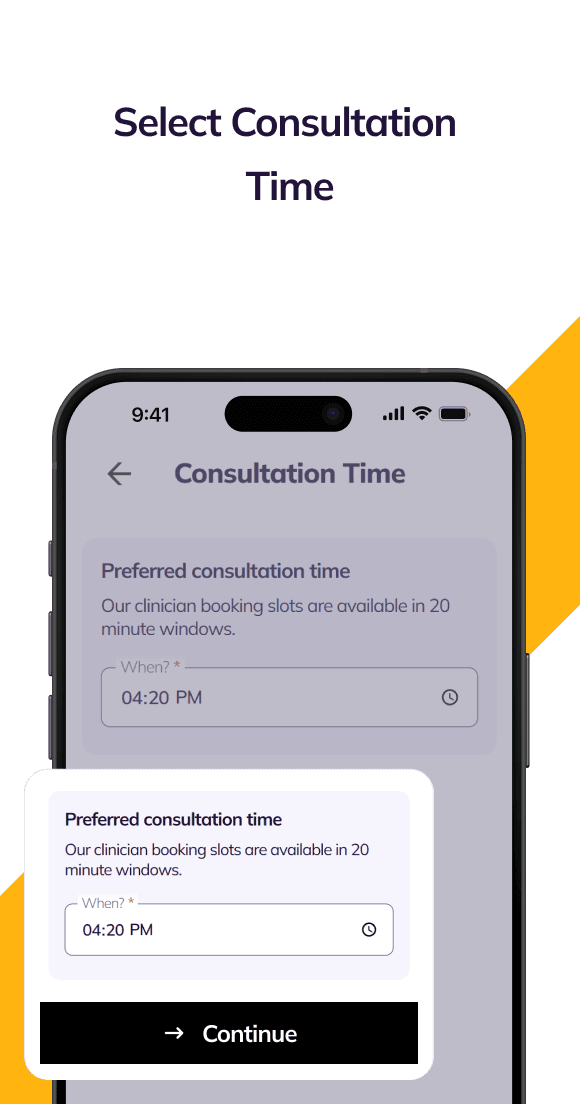 3
3 - Step 4.
Choose Clinician
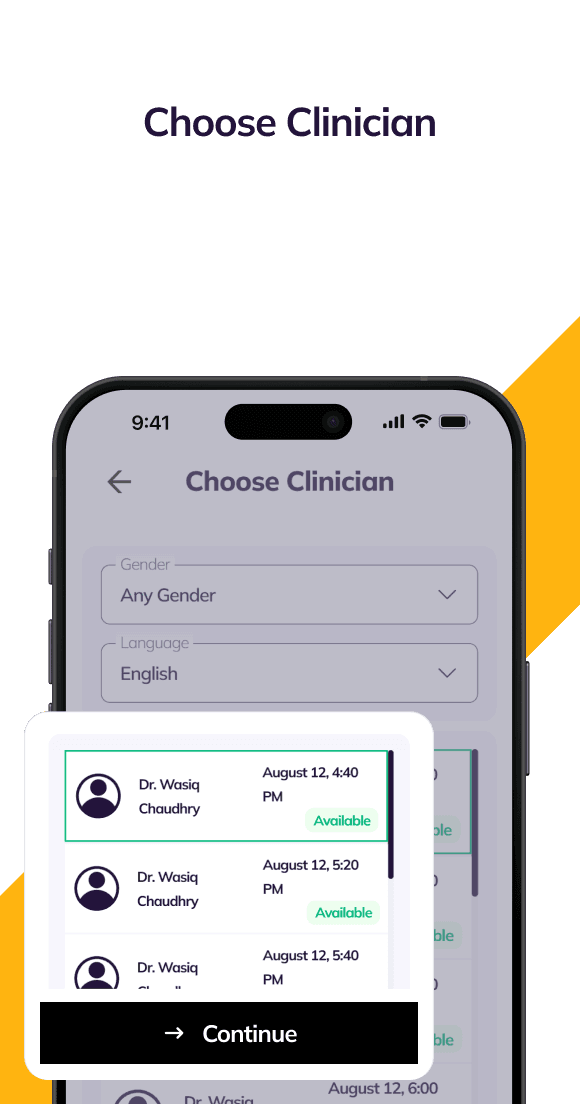 4
4 - Step 5.
View Booking Summary
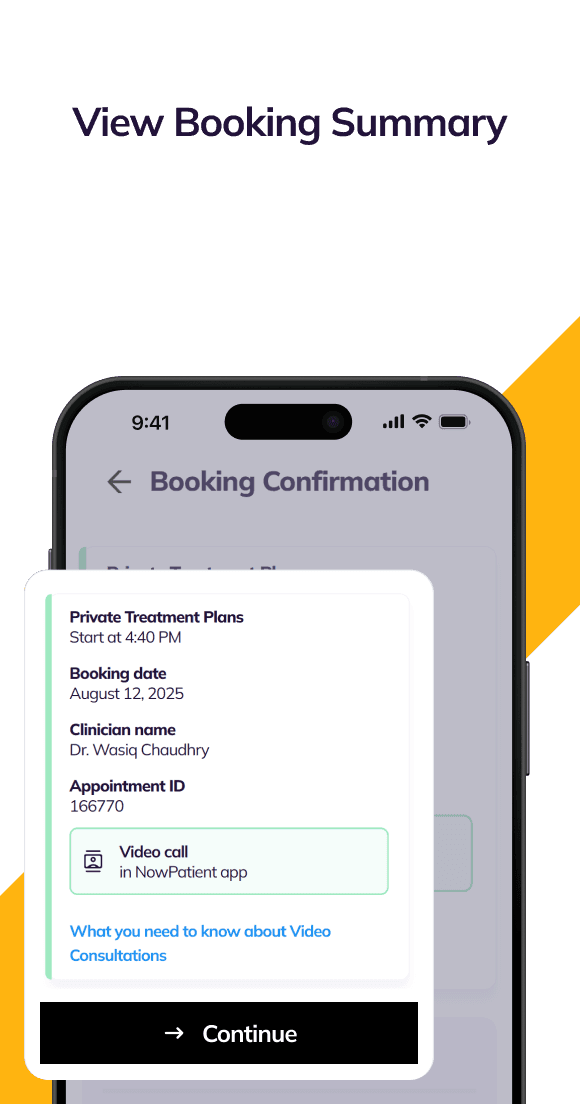 5
5 - Step 6.
Receive Important Safety Information
 6
6 - Step 7.
Your Booking is Now Confirmed
 7
7 - Step 8.
Attend your virtual consultation
 8
8
SERVICE GUIDE
How Virtual Consultations Work
Why Live Video Consultations?
NowPatient only provides consultations in real time over a live video feed. We believe this is the safest way to receive remote care because:
- It happens in real time and your clinician can respond immediately to what they see and hear
- Both you and the clinician can see each other, which is especially important in urgent situations
- The clinician can ask all the questions needed to make a diagnosis or build a treatment plan during a single session
- Any concerns you have can be addressed on the spot
Some providers use questionnaires or quizzes to deliver clinical services. While this may be acceptable for low-risk services, it means you do not get face-to-face interaction or the ability to raise concerns about your treatment in real time with the clinician providing your care.
Do Remote Video Consultations Save Money for Health Systems?
Yes, remote video consultations can significantly reduce costs for health systems by replacing expensive in-person visits associated with traditional healthcare delivery. By connecting patients with clinicians virtually, they help lower overhead expenses such as facility costs, administrative staffing, and patient transport. NowPatient is one of the first remote video consultation services to connect patients with a multidisciplinary team of clinicians, enabling you to book a range of health services from anywhere in the world using a smartphone, tablet, or PC.
Are Remote Video Consultations Right for Me?
Video consultations are suitable for many patients who do not need a physical examination and can communicate via video. However, they may not be appropriate if you require lab tests or a hands-on physical examination; in those cases, you will need to visit your doctor’s practice in person.
Important: While our clinicians are trained across the services we provide, they are not a substitute for your regular doctor if you have a serious illness or life-threatening condition. You can end your consultation at any time if you feel it is necessary.
Which NowPatient Services Use Video Consultations?
Several NowPatient services require a video consultation before treatment can be prescribed or advice given. These include:
- Get Treated Privately for Buying Treatments Online
- Weight Loss Programs
- Genetic Medicines Test
- Home Health Testing
- NHS Pharmacy First
- NHS Quit Smoking
- Weight Loss Treatment Cessation Programme
- NHS New Medicine Service
If the service you choose requires a consultation, you will be taken to the booking screen as part of the flow.
How to Book a Video Consultation
The booking process is the same across all NowPatient services:
- Start your booking. Navigate to the relevant Service Card on your account homepage and follow the prompts for the service you need.
- Choose a date. Select your preferred consultation date. You can add notes to help the clinician prepare for your session. Click ‘Continue’.
- Choose a time. Select your preferred time and click ‘Continue’.
- Choose a clinician. Browse available clinicians trained for your chosen service. You can filter by gender and spoken languages. You will see each clinician’s full name, licence number, and specialist credentials. Click ‘Continue’.
- Review your booking. Check a summary of your appointment and read the ‘Pre-consultation Requirements’ for preparation tips. Click ‘Continue’.
- Provide safety information. Enter your consultation address and emergency contact details. You can opt in to receive an SMS reminder 30 minutes before your appointment.
- Confirm your booking. Click ‘Confirm Booking’. You will see a confirmation pop-up and be redirected to your homepage. You will also receive in-app and push notifications, plus a confirmation email with details of what to expect.
Booking slots are available up to 7 days in advance. Once confirmed, you will see a summary of your appointment and preliminary consultation information.
- 1Book Consultation


- 2Choose Consultation DateSelect your preferred consultation date and add any notes that might assist the clinician during your session. Click ‘Continue’ to proceed.

- 3Choose Consultation TimeYou will now see the ‘Consultation Time’ screen. Select your preferred time for the consultation and then click ‘Continue’.

- 4Choose ClinicianOn the ‘Choose Clinician’ screen, you’ll be able to view available clinicians and select the one you prefer. You can filter the list by gender and spoken languages. Once you’ve made your selection, click ‘Continue’.

- 5Booking ConfirmationReview a summary of your booking and read the ‘Pre-consultation Requirements’ advisory for helpful tips on how to prepare for your live video consultation. Click ‘Continue’ to proceed.

- 6Safety Information & RemindersProvide your consultation address and emergency contact details. You can also opt to receive an SMS reminder 30 minutes before your scheduled video consultation.

- 7Final ConfirmationClick ‘Confirm Booking’ to complete the process. A pop-up will confirm your booking and you’ll be redirected to your account homepage. You’ll also receive In-App and Push notifications.
Preparing for Your Consultation
To receive safe, personalised care, all patients must complete or update their health profile before booking. Your medical history helps your clinician identify potential drug interactions, allergies, and contraindications. Depending on the service, your clinician may require:
- Current medications and supplements
- Known allergies and adverse reactions
- Existing medical conditions
- Previous surgeries or hospitalisations
- Family medical history (where relevant)
- Current symptoms or health concerns
- Blood pressure readings (see below)
- Height and weight (to calculate your BMI)
- Certain blood test results
Important: Before your consultation please ensure NowPatient has access to your device’s microphone and camera. Also please bring your ID – your clinician will verify your identity for safety. Finally, you can bring a carer, friend, or family member if they are in the same location as you. Let your clinician know at the start of the appointment. You may be asked about their relationship to you
Providing Your Blood Pressure Reading
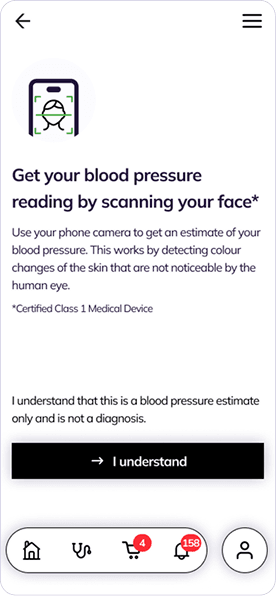
For certain medications, condition treatments or services, your clinician may need your most recent blood pressure reading. The NowPatient app uses an innovative, cuffless approach — your smartphone’s front-facing camera measures your blood pressure while held in front of your face. It is the world’s only blood pressure check without a cuff or wearable.
The blood pressure tool is classified as a Medical Device and conforms to EU CE and UKCA Class I Medical Device standards. CE Class IIa conformity is expected in 2025. You will need a recent iOS or Android smartphone with a front-facing camera (not available on desktop devices).
To take your reading:
- Start the process. During booking, if a blood pressure reading is required, you will be prompted to take one via the NowPatient app.
- Read and agree to the disclaimer.
- Enter your personal details. You will need to provide your age, height, and gender.
- Follow the on-screen steps. We recommend being in a well-lit room with a stable Wi-Fi connection. The screen will tell you when to stay still.
- Attend your consultation. Your clinician will now have your most recent reading to make safe prescribing decisions.
- 1Book Consultation
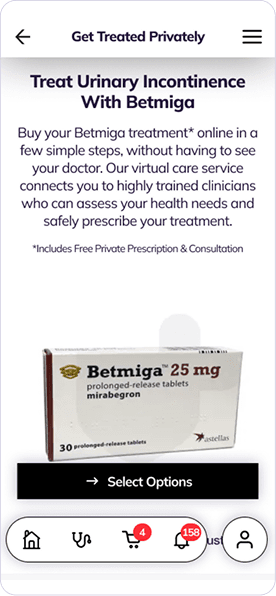
- 2Getting StartedIf you are on a mobile device and you are booking for a service that requires your blood pressure reading, you will be prompted to take your blood pressure reading via the NowPatient app.
- 3Read and Agree With the Disclaimer
- 4Enter Personal DetailsWe will require your age, height and gender before starting your scan.
- 5Follow the Steps on the ScreenWhilst taking your blood pressure reading, we recommend that you are in a well-lit room with a stable WiFi connection. The steps on the screen will inform you when you must stay still.
- 6Attend ConsultationNow that our clinician has your most recent blood pressure reading, they can make safe prescribing decisions.
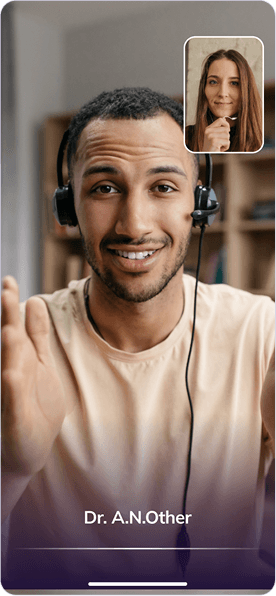
What Happens During the Video Consultation?
At the start, your clinician will introduce themselves and confirm your identity. You will be reminded that:
- You are completing this consultation for yourself and to the best of your knowledge
- You must disclose any medical conditions, serious illnesses, or operations
- You must disclose any prescription medications you are currently taking
- You must provide accurate and honest responses since withholding or providing false information can severely harm your health and may result in life-threatening consequences
- You confirm that your responses are truthful and accurate
Your clinician will then conduct the assessment relating to your chosen service. Depending on the service type you have booked, the clinician will discharge their clinical assessment. This will lead to an outcome, such as an issuance of a prescription, guided counselling or discussing test results.
With your consent, and if the terms of the service booked require, the clinician may also inform your doctor of any outcome. We recommend you agree to this, as your doctor is responsible for your overall care and should have a record of the consultation and any plans agreed.
Your clinician may also take the opportunity to offer general health advice, including guidance on healthy living or stopping smoking.
What Happens After the Consultation?
You will receive a post-consultation notification summarising:
- The outcome of your appointment
- Any referrals made to your doctor
- Any advice given by your clinician
Your family doctor is responsible for your overall care. Our clinicians will communicate with your doctor if they have concerns or recommendations. Referrals are only made with your explicit consent or where they form part of the terms of service you agreed to.
If a referral letter was issued, you can view a copy in the ‘Documents’ section of your account. If treatment was prescribed as part of the service, it will appear in your Cart.
You may also receive a short survey about your experience. We encourage you to complete it. Your feedback helps us improve the service for you and other patients.
How to Complete Your Order If a Treatment Is Prescribed
If your clinician prescribes treatment as part of a booked service, follow these steps:
- Go to your Cart. Use the account navigation to open your Cart.
- Complete the NHS Exemption Declaration (if applicable). For NHS services, a pop-up will ask you to confirm your exemption status for each NHS item.
- Select ‘Checkout’.
- Choose your delivery address.
- Choose your delivery method.
- Confirm your billing address.
- Review your order.
- Submit payment. Your order is sent to our regulated online pharmacy for processing and dispatch.
Quality of Care
Your remote video consultation will always prioritise safe, high-quality care. Your health and wellbeing are our top priorities. NowPatient continuously monitors and assesses its services to ensure they are safe, effective, caring, and well-led.
Your Prescribing Clinician
NowPatient’s prescribing clinicians are board-certified pharmacists, nurses, or doctors who can prescribe any medicine for any medical condition, subject to accepted accreditation and good clinical practice. Each clinician is registered with their respective regulatory body, for example, pharmacist independent prescribers in England are registered with the General Pharmaceutical Council (GPhC).
Every clinician undergoes an extensive background check, including a Disclosure and Barring Service (DBS) check, and a rigorous licence verification process. When you book, you will see the clinician’s full name, licence number, and any specialist credentials.
Our formulary of medications and conditions treated is controlled, governed, and continuously risk-assessed by our Medical Director, Dr. Ihtesham Sabri.
Medication Advice and Counselling
If the service you booked led to the issuance of a prescription, then NowPatient’s pharmacists will be on hand to provide medication advice and counselling across all dispensing services. If you have any questions about your prescribed medication, our pharmacy team is available to help.
Safety, Data Security, and Privacy
Are Video Consultations Safe?
Yes. NowPatient has specific safeguards and protocols in place. Our video technology platform is certified to the highest industry standards of data security and clinical governance.
Are My Consultations Confidential?
Yes. NowPatient follows strict General Data Protection Regulations (GDPR) and is HIPAA compliant, ensuring Personal Health Information (PHI) is handled securely. Legal requirements ensure your personal data is managed with the utmost confidentiality. Records are maintained of all processing, and breaches are reported if they occur.
How Is My Data Protected?
NowPatient meets and exceeds UK and US data security standards, demonstrated through regular internal and external audits. Our externally audited accreditations include:
- ISO27001
- DTAC
- DSPT
- Cyber Essentials+
How Is My Data Stored?
Data residency is a key priority. UK-based data remains solely in the UK. US data is governed by HIPAA-prescribed data security protocols. The data centres we use align with the highest standards of security and privacy, safeguarded through regular external audits.
A Fully Insured Service
NowPatient holds comprehensive professional indemnity and liability insurance covering all digital health, pharmacy, and prescribing services worldwide. Our insurance is provided by CFC Underwriting Limited, a specialist insurer authorised and regulated by the Financial Conduct Authority (FCA).
You should always check that your healthcare provider is fully insured to give you peace of mind that the care you receive is fully safeguarded.
Cancellations and Missed Appointments
Cancelling an Appointment
If you need to cancel, please do so at least 24 hours in advance:
- Navigate to the consultations section of your account.
- Select ‘Upcoming Consultations’.
- Choose the consultation you wish to cancel.
- Select the ‘Cancel’ button and confirm.
Missed Appointments
NowPatient has a threshold of two missed appointments before booking rights are temporarily revoked. You will be notified after each missed booking. If you believe this is incorrect or had genuine reasons, you can raise a ticket with our support desk.